
Our app already offers three built-in display options for showing the wishlist: as a drawer, a modal popup, or a separate dedicated page. However, if you’d prefer to showcase the wishlist section within a specific area of a page—tailored to match your store’s theme and layout—you can do so easily. Below are two methods to achieve this: using Shopify’s theme editor to add it as a block section or by integrating it manually through custom HTML coding.
As a Block Section : #
Please go through the steps mentioned below :
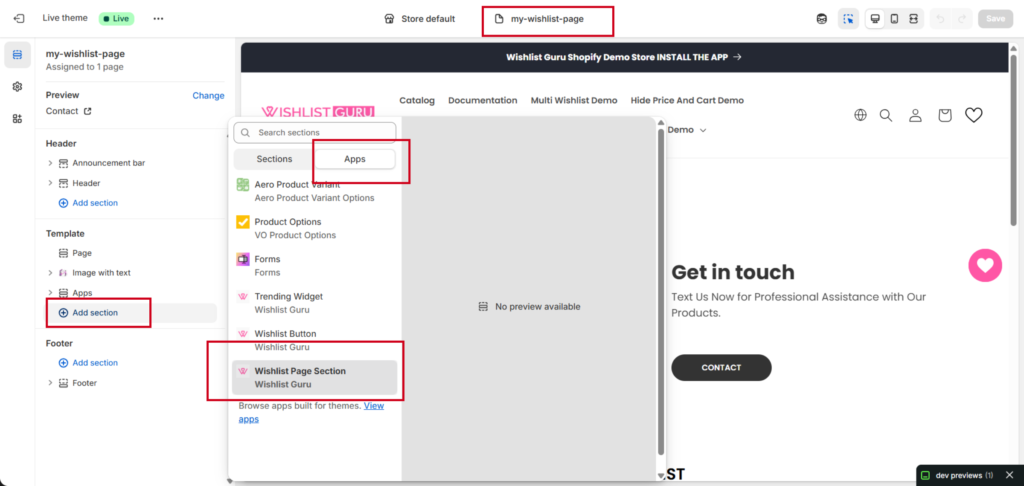
- Go to the theme, click on the customise
- Choose the Page from the dropdown
- You can choose the page template where you want to add the Wishlist Page Section
- Click Add section, choose APP tab
- Click on Wishlist Page Section
- Click save
Here is a short video of the Wishlist Page section, Please have a look : #
Check related articles :
Show Wishlist as a Modal
Show Wishlist as a Drawer
Show Wishlist on a Separate Page


