
Send wishlist email notifications in your customers’ preferred language using Wishlist Guru. This feature allows you to create a more personalized and localized shopping experience, especially for stores serving a global audience.
By enabling multi-language email support, you can improve customer engagement, increase trust, and ensure your communication feels relevant to every user.
This feature is available starting from the Pro plan, with advanced customization options included in the Premium plan.
Why Multi-Language Wishlist Emails Are Important for Shopify Stores #
For merchants
Sending emails in the customer’s preferred language improves engagement, click-through rates, and trust. It also reduces confusion and aligns your communication with international and regional compliance expectations. From an operational standpoint, it lets you scale globally without managing separate tools or manual workarounds.
For customers
Customers feel more comfortable and confident when they receive emails in a language they understand. It improves clarity, reduces friction, and makes the overall shopping experience feel more personal and respectful.
How the Feature Works #
Multi-language email support
When you enable multiple languages in the Wishlist app, the system automatically creates email templates for each language you have set up. You don’t need to create templates from scratch for every language.
Editing email templates by language #
If you want to edit an email template in a specific language (for example, French):
- Go to General Settings.
- Go to Email Reminders in the Wishlist app
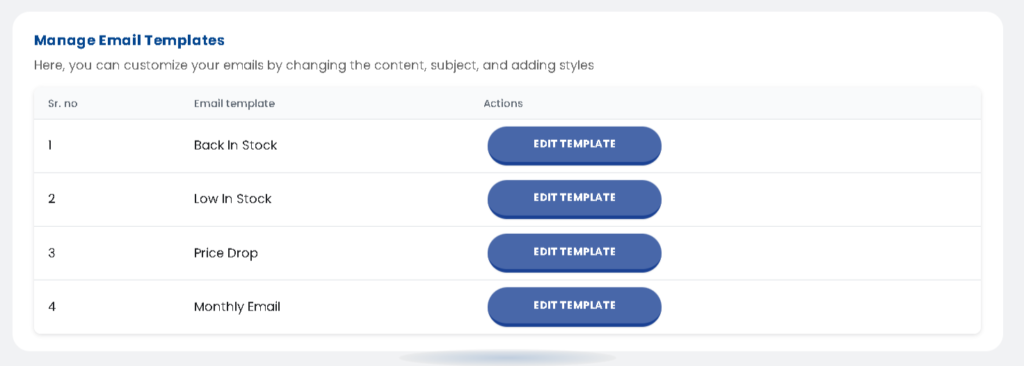
- Manage Email Templates Click on Edit Template to start customizing the email.
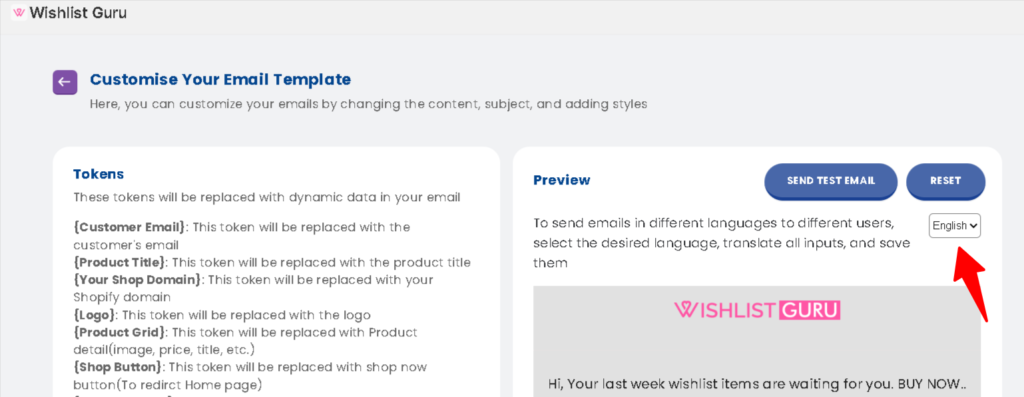
- On the right-hand side, where the email preview is shown, you’ll see a language dropdown
- Select the language you want to edit (e.g., French)
- Update the email content in that language and save
Each language has its own version of the template, so your messaging stays accurate and localized.
Emails are sent based on customer preference #
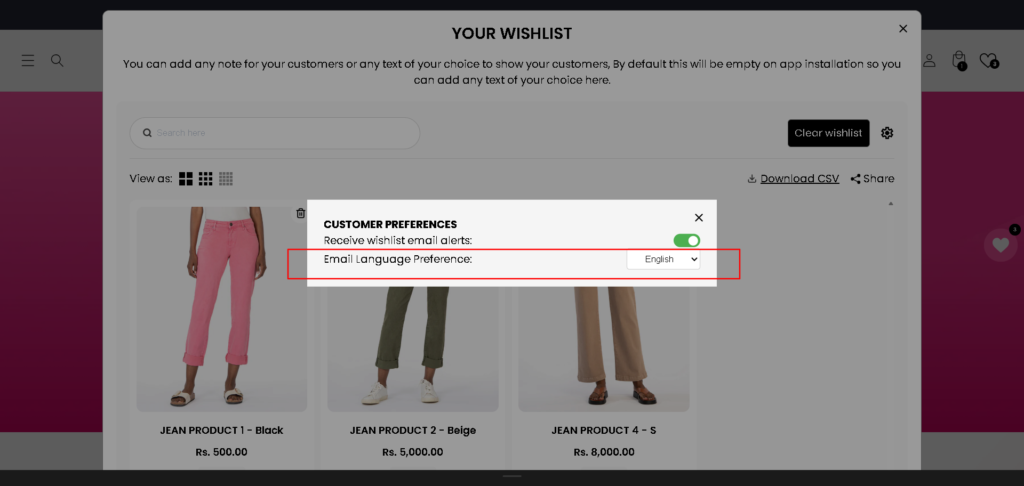
- Customers open the wishlist and click the Settings (⚙️) icon.
- Logged-in customers can manage:
- Receive Wishlist email alerts (on/off)
- Email language preference (Pro plan)
If a customer selects French as their preferred language, all wishlist-related email notifications will be sent to them in French automatically. The app handles this logic in the background.
Klaviyo integration for advanced flows #
For merchants using Klaviyo, the Wishlist app sends a variable that includes the customer’s preferred language.
You can use this variable in Klaviyo flows to:
- Segment users by language
- Trigger emails in the correct language
- Build smarter, more personalized automation
Plan-based language support
- Pro Plan: Supports up to 2 languages
- Premium Plan: Supports unlimited languages
Wishlist Email Alerts — Customer Opt-In & Unsubscribe Control #
Give your customers full control over their wishlist email notifications. To receive wishlist alerts (such as back-in-stock and price-drop emails), customers simply turn on the “Receive wishlist email alerts” toggle in the Customer Preferences panel, found by clicking the settings (gear) icon on the wishlist page. They can also choose their preferred email language for a localized experience.
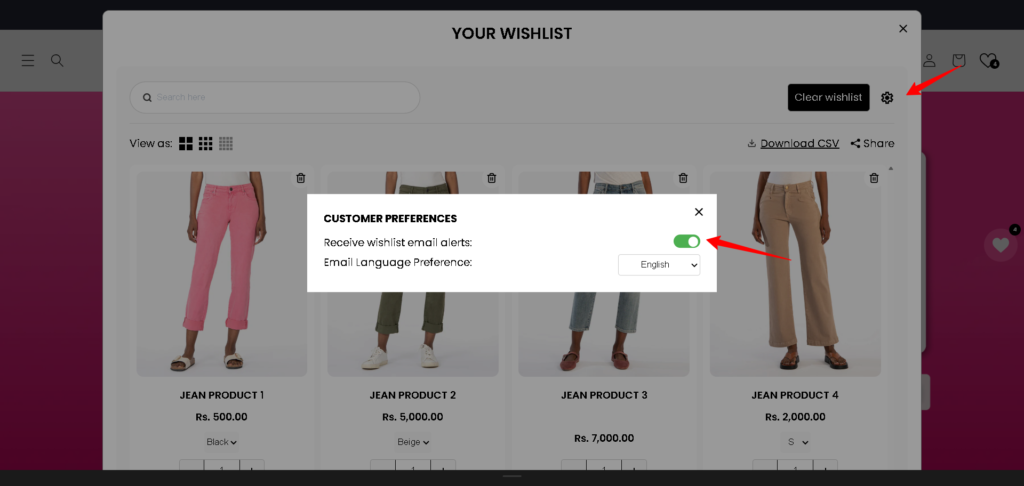
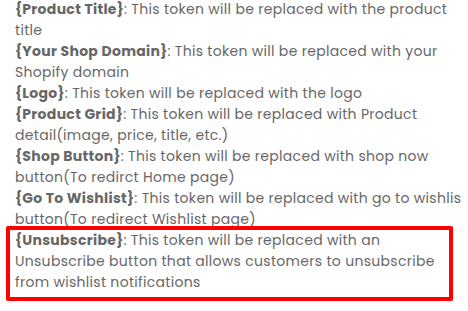
For customers who no longer wish to receive alerts, the {Unsubscribe} token adds an unsubscribe button directly inside your email template. One click removes them from future wishlist notifications — no support requests needed. If they change their mind later, they can re-subscribe anytime by turning the toggle back on in Customer Preferences.
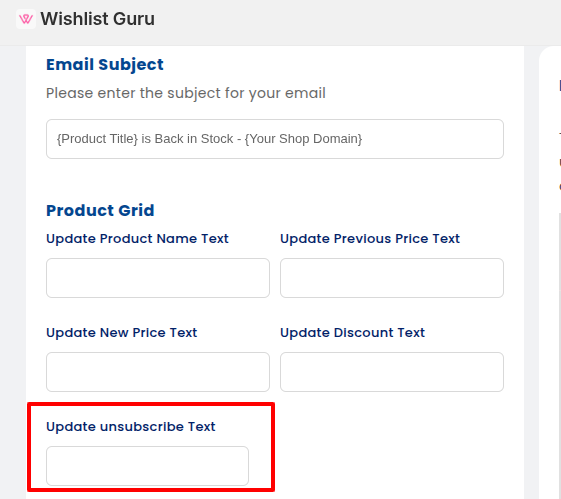
Together, these options keep your mailing list clean and engaged, reduce spam complaints, improve email deliverability, and help your store stay compliant with email marketing regulations like CAN-SPAM and GDPR. You can also customize the unsubscribe button text in the “Update Unsubscribe Text” field to match your brand’s voice.
Real-Life Example #
Imagine you run a store that sells skincare products across Europe.
A customer from France selects French as their preferred language on your store.
- You’ve already enabled French in the Wishlist app
- You edited the French email template once in Email Settings
- The customer adds products to their wishlist
Now, every wishlist-related email—price drop alerts, back-in-stock notifications, or reminders—is automatically sent in French.
If you’re using Klaviyo, your flows can also use the language variable to ensure the right email goes to the right customer, every time.
Customise your email template: Click here
Klaviyo integration: Click here
How to Opt Out of Wishlist Email Notifications Click here


