
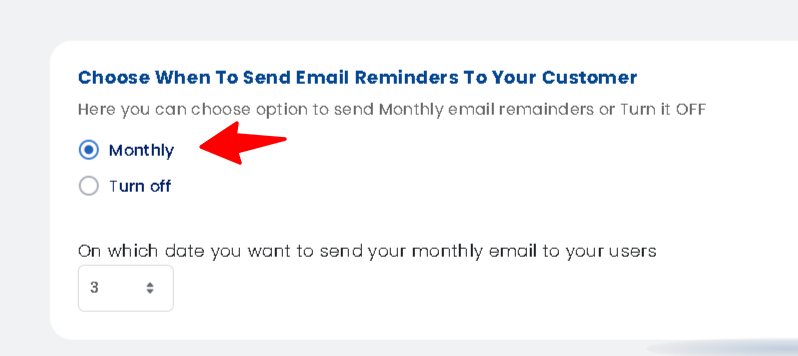
This will be sent once a month to all your registered users, notifying them about their abandoned wishlist items. This will be a good opportunity to get in touch with them, remind them and encourage them to purchase those products
How to Configure Email Reminders in Wishlist Guru: #
- Go to the General settings
- navigate to Email Settings / Email Reminders.
- Send Email Notifications
- Turn on the Monthly to activate automated wishlist emails.
How to set up the Email Flow in Klaviyo: #
If you integrate Klaviyo, then our monthly email limit will be revoked. We will pass all events and data to Klaviyo, and you will need to create and set up flows in Klaviyo. There is no restriction from our side on the email count if you use Klaviyo.
Pro Tip: If you are not seeing Wishlist Guru – Email Reminders in your “your metrics” section this is because klaviyo will not display flow triggers until they have received at least one event.Do this by triggering the event yourself. Try logging in to your store again and add one product to your wishlist to record this event on Klaviyo . Then you can check that in “your metrics” section that event will be displayed or added after that.


